
SafeSport Training
All adult volunteers, including Head Coaches, Assistant Coaches, Team Managers, and Board Members must complete the SafeSport training, which takes about 90 minutes.
Please Note that if your SafeSport Trained certificate is expired then you are required take a refresher course.
To complete this requirement, you must login to your PlayMetrics account.
DO NOT CREATE A NEW ACCOUNT IF YOU ALREADY HAVE ONE.
If you do not remember your password, please utilize the "Forgot your password?" option on the PlayMetrics login screen. Creating another account will cause delays in processing your background check.
DO NOT USE YOUR SMART PHONE TO COMPLETE THIS PROCESS.
Please use an actual computer and use either Google Chrome or Firefox as a web browser. We've seen the most success with these browsers.
HOW TO COMPLETE YOUR SAFESPORT TRAINING:
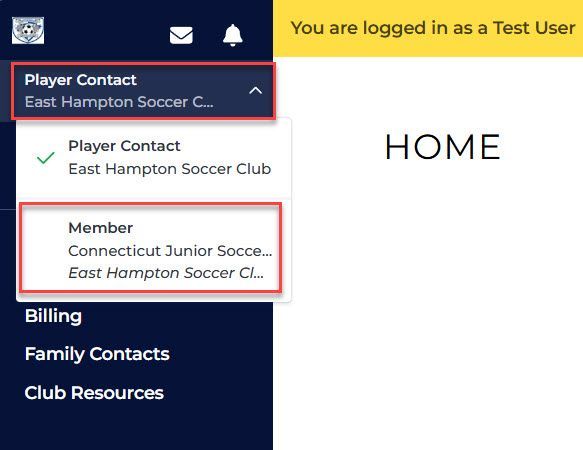
Once logged in, switch to the "Member" view and then click on the "Complete Requirements" button.
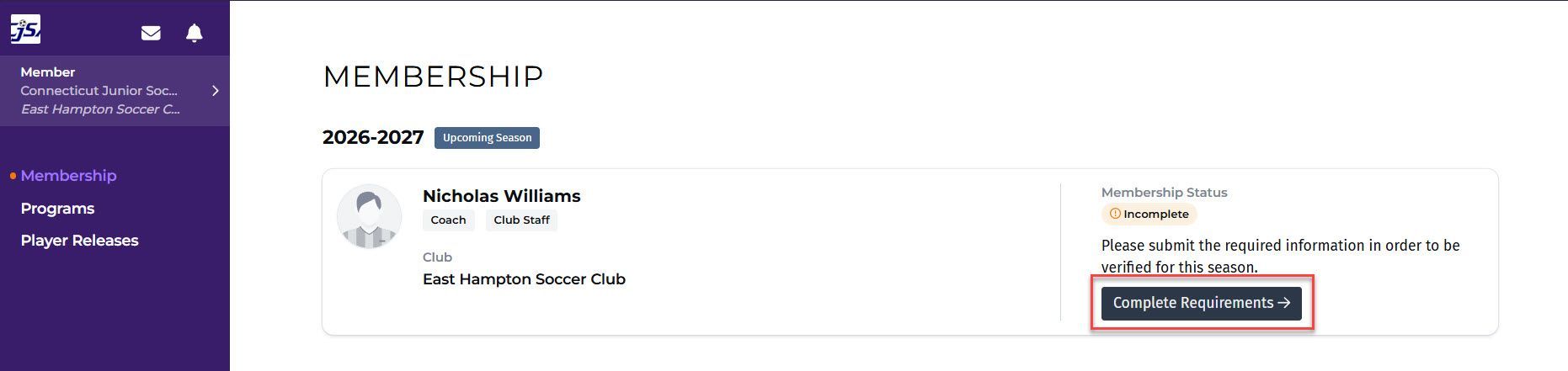
Scroll down to the Clearances section to see the SafeSport option.
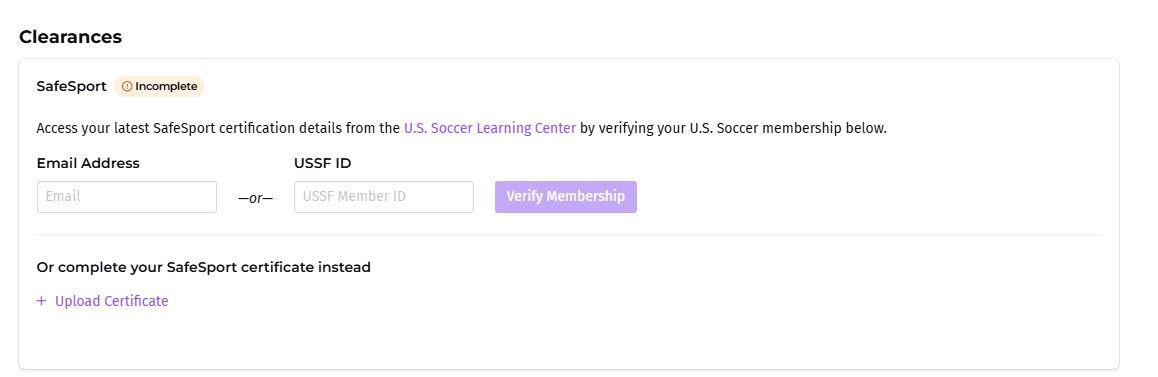
After that, there are a few different options:
Please Note that if your SafeSport Trained certificate is expired then you are required take a refresher course.
Existing Coaches
- You may manually upload a copy of your SafeSport Trained PDF file by using the "+ Upload Certificate" link from your Member Requirements page in PlayMetrics.
- If you completed your SafeSport training in the past via the U.S. Soccer Learning Center, you may enter in your e-mail address or your USSF ID and then click the "Verify Membership" button from your Member Requirements page in PlayMetrics.
- In the case of an expired training, you must log into your account at U.S. Soccer Learning Center and click on the "Renew" button to complete the refresher course before retrying the "Verify Membership" button in PlayMetrics.

New Coaches
Navigate to the U.S. Soccer Learning Center and click either the "Sign Up" or "Log In" button on the top-right of the website depending on if you already have an account or not. Once logged in, click the "Start SafeSport" button to begin the training.
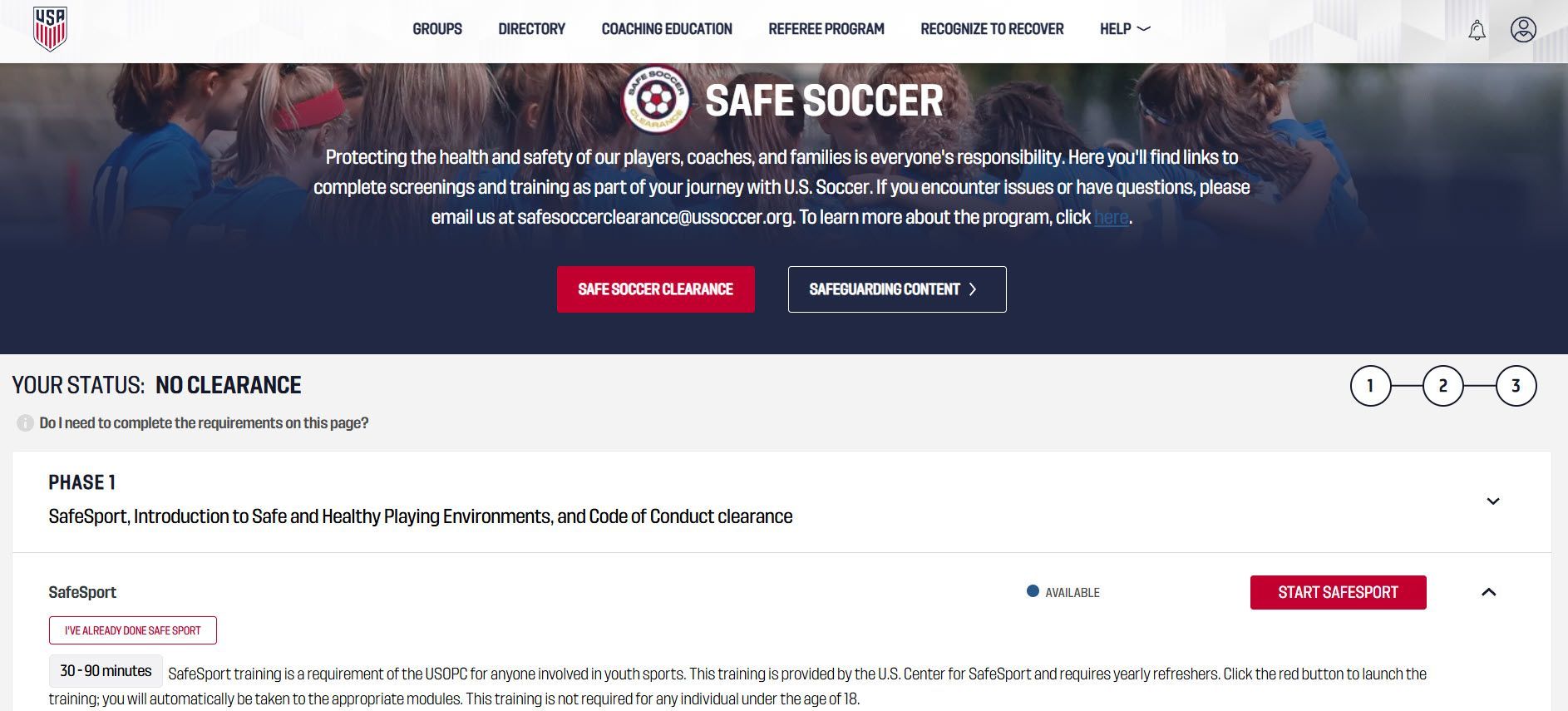
When finished, you may:
- Manually upload a copy of your SafeSport Trained PDF file by using the "+ Upload Certificate" link from your Member Requirements page in PlayMetrics.
- Enter in your e-mail address or your USSF ID and then click the "Verify Membership" button from your Member Requirements page in PlayMetrics.