
Required Documents
All adult volunteers, including Head Coaches, Assistant Coaches, Team Managers, and Board Members must submit the Required Documents and minimum Member Profile information.
To complete this requirement, you must first login to your PlayMetrics account.
DO NOT USE YOUR SMART PHONE TO COMPLETE THIS PROCESS.
Please use an actual computer and use either Google Chrome or Firefox as a web browser. We've seen the most success with these browsers.
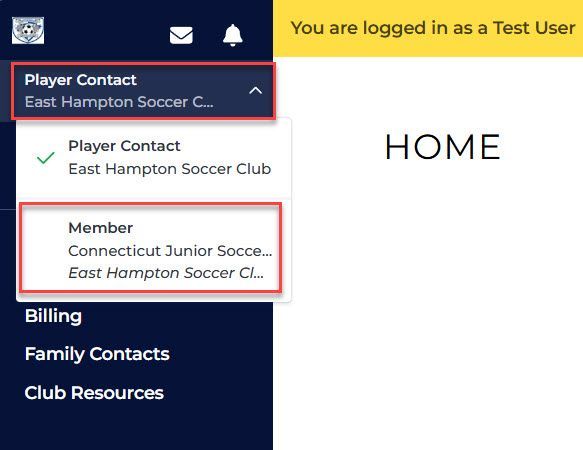
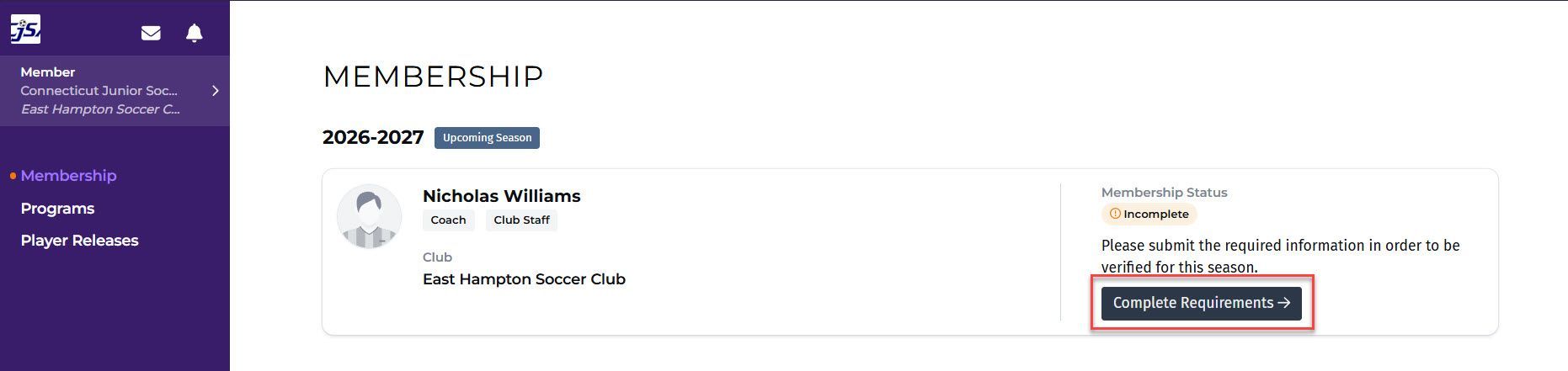
Once logged in, switch to the "Member" view and then click on the "Complete Requirements" button.
To complete your Member Profile, click the "Edit Details" button, fill out the required fields below at a minimum, and then click the "Save Changes" button.
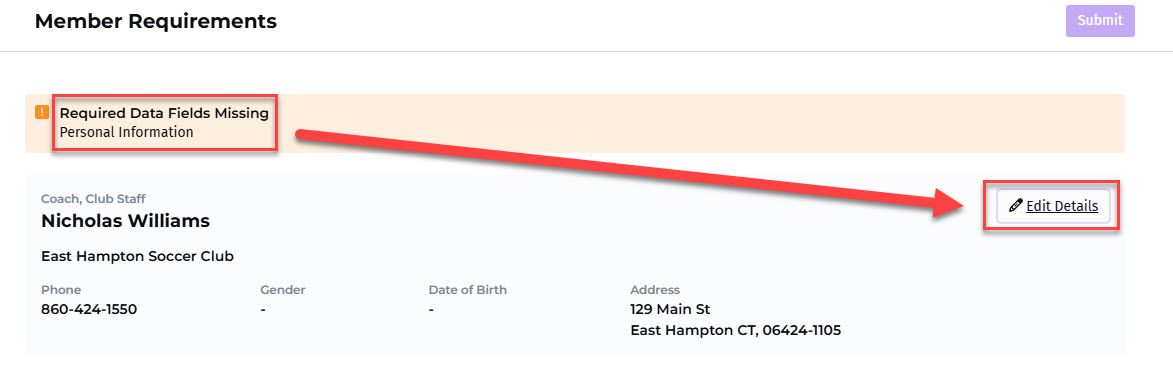
Member Profile
First Name (Legal)
Last Name (Legal)
Gender
Date of Birth
Address (Street, City, State, Zip)
To complete Required Documents, scroll further down to the Documents section and click the "View Agreement" button to view and accept each of the below waiver agreements.
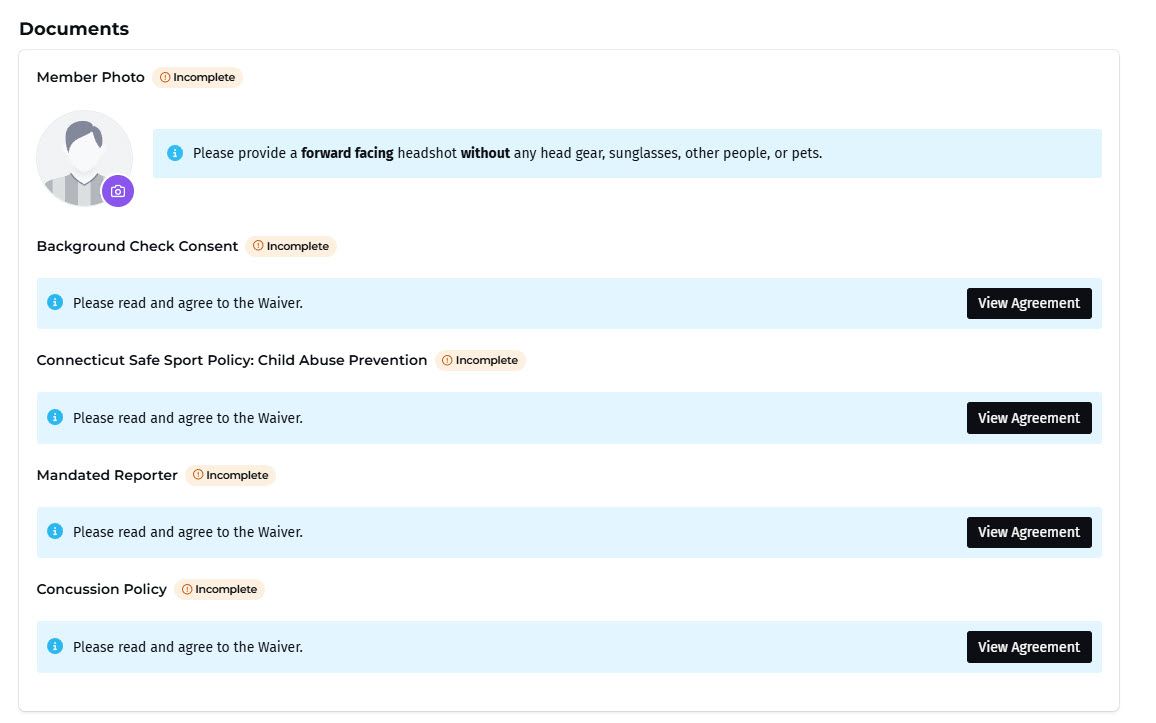
Documents
Member Photo (Please provide a forward facing headshot without any head gear, sunglasses, other people, or pets.)
Background Check Consent waiver
Connecticut Safe Sport Policy: Child Abuse Prevention waiver
Mandated Reporter waiver
Concussion Policy waiver